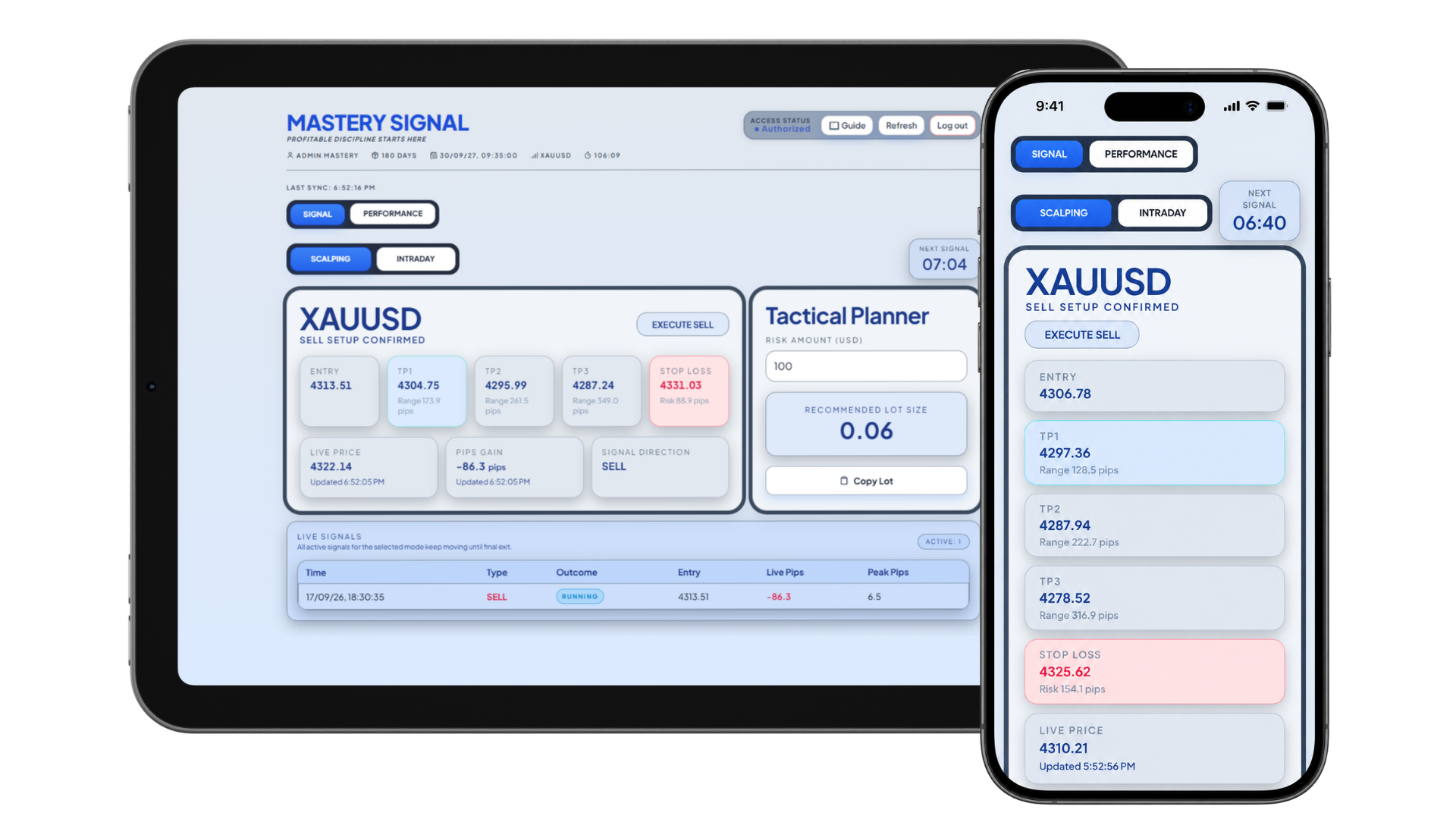
You can’t watch the market all day. Stay in the loop.
Work, family, daily commitments. Mastery brings structured XAUUSD signals and notifications together, so you can review a setup without spending your day searching for one.
01
No time to analyse?
Review a prepared setup with entry, take-profit and stop-loss guidance in one view.
02
Can’t stay on the charts?
Enable notifications to know when a new signal arrives. Let the alert bring your attention back.
03
Noticing setups too late?
Check the notification, review the levels, and decide whether the entry still fits your plan.
Final price and access period are confirmed at checkout.
Preferred broker membership
Free access for membership.
Open a trading account with our preferred broker through your IB, fund your trading account and trade actively. Eligible members get access without a separate subscription payment.
5trading daysMin. deposit $100
11trading daysMin. deposit $200
22trading daysMin. deposit $250
Your next steps
Activate your access.
01Open a trading account with our preferred broker through the link provided by your IB.
02Deposit into your broker account and trade actively.
03Submit your account details. After verification, your access key is emailed to you.
Already have a broker account? Ask your IB how to qualify. Eligibility and deposit verification apply; access is not automatic.
Free access refers to the subscription fee only. Broker deposits are trading funds and remain exposed to trading losses. Trading involves risk; signals do not guarantee returns.
11 answers
The dashboard brings entry, take-profit and stop-loss guidance into one view. Before trading, learn how orders, lot sizes and leverage work. Signals do not remove the need to understand and manage risk.
Yes. You can view the dashboard on mobile and desktop. Enable notifications on a supported device and allow the required browser permissions.
Mastery focuses on gold against the US dollar: XAUUSD. Choose Scalping or Intraday in the dashboard to view your preferred mode.
Scalping cycles are scheduled every 30 minutes and Intraday cycles every 4 hours. Check the dashboard for the next cycle and current setup. A schedule is not a guarantee of a tradable opportunity.
Notifications can let you know when a new setup or target update is available. Delivery depends on your device, permissions and connection. Always review the current price and setup before acting.
Review whether the current price still meets the setup conditions. Do not chase an entry just because an alert arrived earlier; you can wait for another suitable setup.
No. Mastery provides signal guidance. You place and manage orders manually in your trading platform, including lot size, stop-loss and take-profit.
The lot planner helps estimate position size from your risk amount and the setup. The entry-zone indicator adds chart context. Review both before trading; neither guarantees a profitable outcome.
Open a trading account with our preferred broker through the link provided by your IB, make a qualifying broker deposit and trade actively. Submit your account details for verification. Free access refers to the subscription fee, not a risk-free deposit.
For subscriptions, review your billing details and renewal terms through Manage billing. For membership or access-key questions, contact support before your access expires.